
PHP2Shell (CVE-2026-109618, CVE-2026-109619): What to Patch Now and How to Check You Were Not Hit
Two critical PHP flaws allow unauthenticated remote code execution. Fixed versions, temporary mitigations, the FBI's guidance, and a step-by-step triage to patch every PHP site today.
On 21 October 2026 the PHP project released emergency updates for two critical vulnerabilities, CVE-2026-109618 and CVE-2026-109619, now widely called PHP2Shell. Both are rated CVSS v4.0 9.2, and the PHP project states that they "can allow unauthenticated remote code execution" (PHP security announcement).
If your business runs a website, customer portal, WordPress or WooCommerce store, Laravel application or any vendor product built on PHP, treat this as a same-day job. This guide explains what is affected, which versions fix it, what to do if you cannot update immediately, and how to check whether anyone got in first.
What happened
The PHP security team announced the release on 20 October and shipped it on 21 October. The CVE identifiers circulated publicly before the planned disclosure, and security firms have reported proof-of-concept code in circulation. Cloudflare said on 21 October that it was "seeing early attacks emerging" (Tenable FAQ).
The FBI Cyber Division has urged organisations to update affected installations immediately, inventory where PHP runs with internet-facing systems first, monitor web servers for PHP processes launching command shells or downloading files, and take systems offline if they cannot be mitigated (FBI Cyber Division). CERT-EU has published Security Advisory 2026-018.
The two vulnerabilities in plain language
The PHP project describes them as follows (PHP security announcement):
- **CVE-2026-109618, remote code execution via out-of-memory corruption.** Out-of-memory handling can interrupt PHP while internal request data is only partly initialised, and request cleanup may then treat that invalid data as valid.
- **CVE-2026-109619, remote code execution via stale global state.** Request-owned internal state can survive after its memory is freed, and a later request handled by the same worker may use it before normal initialisation resets it.
The important point for business owners is where these bugs sit. They are in PHP itself, not in your application code. A well-written application on a vulnerable PHP version is still exposed.
Who is affected
According to the PHP project, the risk applies to "all PHP installations serving web requests, including PHP-FPM, Apache with mod_php, php-cgi, FrankenPHP and LiteSpeed", and is highest for mod_php (PHP security announcement).
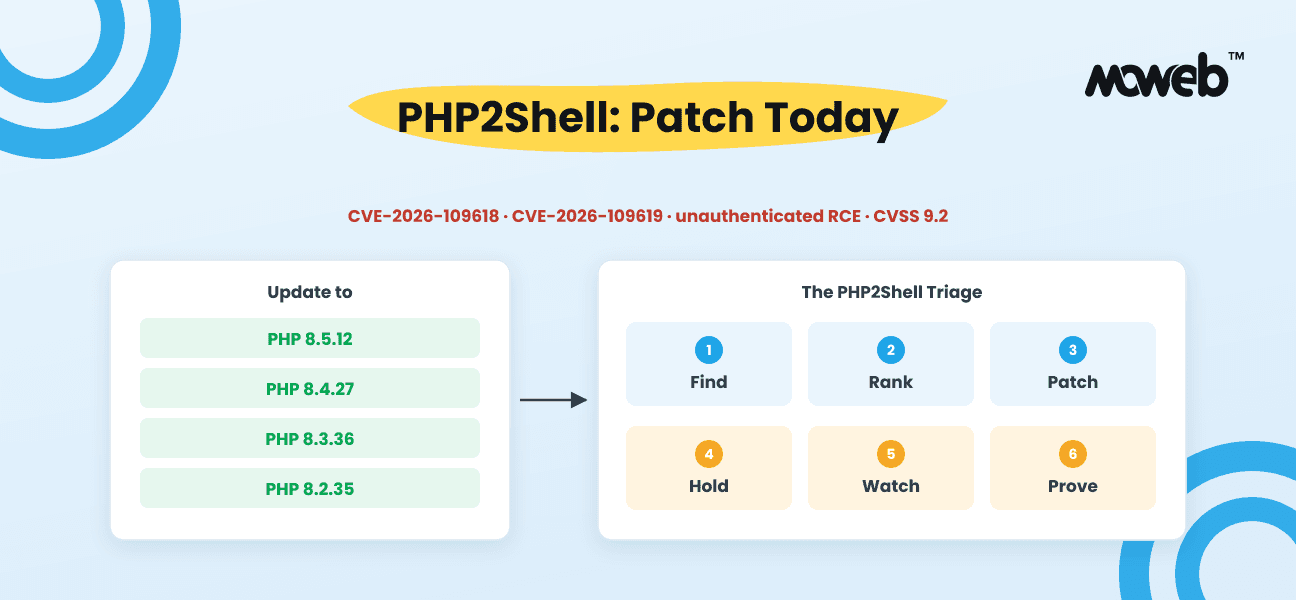
| PHP branch | Action | | --- | --- | | 8.5 | Update to 8.5.12 or later | | 8.4 | Update to 8.4.27 or later | | 8.3 | Update to 8.3.36 or later | | 8.2 | Update to 8.2.35 or later (8.2 reaches end of life on 31 December 2026) | | 8.1, 8.0, 7.4 | No official release. Use your Linux distribution or LTS vendor's patched package, apply the project's minimal source backport, or upgrade to a supported branch | | Older than 7.4 | Upgrade. These versions receive no fixes |
Linux distributions and long-term support vendors received patches in advance, so check your distribution's security updates first. The PHP project also warns users of the volunteer-run rpms.remirepo.net repository that it would not have updates on release day, and recommends switching to distribution packages or building from source.
Remember the PHP you did not install yourself: hosting control panels, appliances, plugins for other products, and vendor software that bundles its own PHP runtime.
If you cannot update today
The PHP project is explicit that "only an update is a complete solution" and that interim settings "do not make an installation safe". They reduce exposure to specific paths while you schedule the update. The documented measures include:
- **For CVE-2026-109618:** set `memory_limit=-1` in a way applications cannot override (for example `php_admin_value` in the FPM pool), cap `post_max_size` at 8M, or 32M if uploads are needed, with `upload_max_filesize` below it, and use container or cgroup memory limits rather than `RLIMIT_AS` or `RLIMIT_DATA`.
- **For CVE-2026-109619:** set `session.upload_progress.enabled=0` in `php.ini`, the FPM pool or server configuration (not `ini_set()` or `.user.ini`), set `fatal_error_backtraces=0` on PHP 8.5, and restart every worker.
Cloudflare has deployed WAF rules for known exploit vectors for all customers, which it describes as a stopgap (Tenable FAQ). If none of this is possible, follow the FBI and CERT-EU advice: take the internet-facing system offline until it is fixed.
The PHP2Shell Triage: six steps for today
This is the sequence we use for emergency patch work. Each step has a clear output, so you know when it is done.
- **Find.** List every server, container image, hosting account and vendor product running PHP. Output: an inventory with the PHP version and how it runs (FPM, mod_php, CGI, LiteSpeed, FrankenPHP).
- **Rank.** Sort by exposure: internet-facing first, then systems holding customer or payment data, then internal tools. mod_php setups go to the top. Output: a patch order.
- **Patch.** Apply distribution packages or the fixed PHP release, then restart every PHP worker so no process keeps running old code. Output: each host confirmed on a fixed version with `php -v` and the web server's own PHP info.
- **Hold.** For anything that cannot be patched today, apply the documented interim settings, put it behind WAF rules, or take it offline. Output: a written list of exceptions with an owner and a deadline.
- **Watch.** Turn on or review process monitoring for PHP workers spawning shells, unexpected outbound downloads, new files in web roots, and new admin users. Output: alerts in place, and someone watching them.
- **Prove.** Review web server and PHP logs from before the patch for signs of compromise, and keep copies. If you find any, isolate the system, preserve logs, and report to your local FBI field office or ic3.gov. Output: a short record of what was checked and what was found.
Most small and mid-sized businesses can complete steps one to four in a day if someone owns it. Step six is where outside help is most often needed, because it means reading logs with a clear idea of what an exploit leaves behind.
Signs your server may already be compromised
The exploit code circulated before many sites could patch, so check, even after updating:
- PHP-FPM or Apache processes starting `sh`, `bash`, `curl`, `wget` or similar.
- New or recently modified `.php` files in upload folders, cache folders or the web root.
- Unfamiliar scheduled tasks, cron entries or system users.
- Outbound connections from the web server to unknown hosts.
- New administrator accounts in your CMS or application.
- Unexplained spikes in memory errors or worker crashes in PHP logs around the disclosure dates.
Updating PHP closes the door. It does not remove anything an attacker left behind. If any of these signs appear, treat it as an incident: isolate, preserve, investigate, then rebuild from a clean state.
Questions businesses are asking
Is WordPress affected?
WordPress runs on PHP, so any WordPress site on a vulnerable PHP version is exposed regardless of plugins or theme. The fix is the PHP update, not a WordPress update.
My hosting company manages the server. Am I safe?
Only if your host has applied the update. Ask them directly which PHP version your site now runs and when workers were restarted. Shared and managed hosts often patch quickly, but older plans on end-of-life PHP versions may be left behind.
Do I need to change my application code?
Not for the vulnerabilities themselves. But if you are on PHP 8.1 or older and need to move to a supported branch, your application may need compatibility work. That is usually a project, so do the interim containment first.
Does a firewall protect me?
WAF rules help against known exploit patterns and buy time. They are not a fix, and they only protect traffic that passes through them.
Get your PHP systems patched today
Running an older PHP system that nobody has maintained or updated for a while? That is exactly where PHP2Shell does the most damage, and exactly the kind of system we take over.
If you are not sure where PHP runs in your business, cannot update because of an old version, or need someone to check whether you were hit before you patched, hand it to us. Moweb's engineers work with PHP, Laravel and WordPress applications every day, and our processes are certified to ISO 27001 (our security approach).
We will inventory your PHP estate, patch or contain every exposed system in priority order, restart and verify each one, review logs for signs of compromise, and give you a written summary of what was done. For applications stuck on unsupported PHP versions, we will contain them now and plan the upgrade with you.
Request emergency PHP patching now. Tell us how many sites or servers you run and which hosting you use, and an engineer will get back to you as fast as possible. For ongoing support, see our cloud and DevOps services.